SWING 설치 방법
1. 상단의 Help > install New Software

2. Add > Name의 wb 입력 > Location에 URL 입력 > Add 클릭
https://download.eclipse.org/windowbuilder/updates/release/1.12.0/
WindowBuilder 1.12.0 Release
WindowBuilder 1.12.0 Release Built: 2023-06-07 at 18:10 ✎ https://download.eclipse.org/windowbuilder/updates/release/1.12.0 🧰 This is a p2 update site for WindowBuilder. Use the ✎ icon to copy the update site URL to the system clipboard. Alternativ
download.eclipse.org
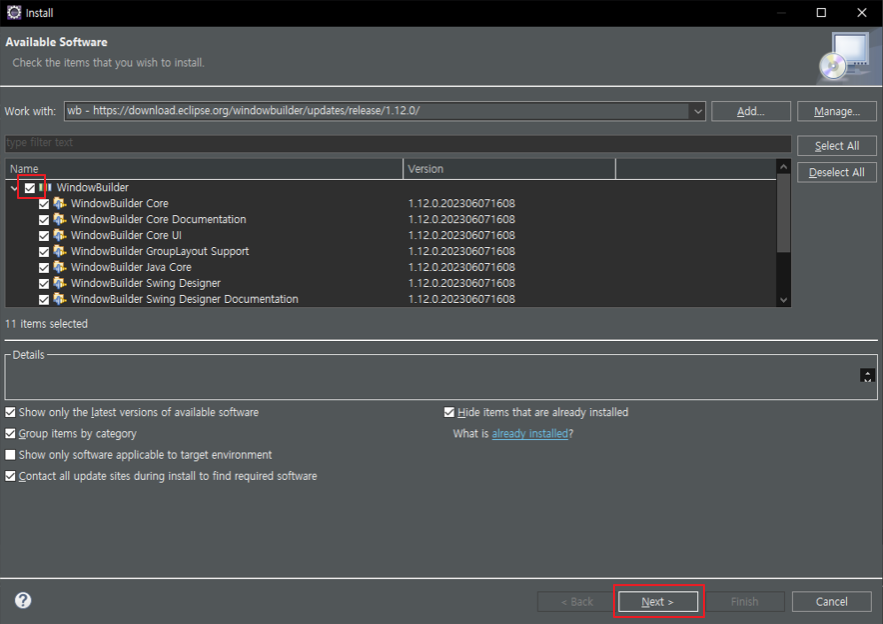
3. 체크박스 클릭 > Next 클릭
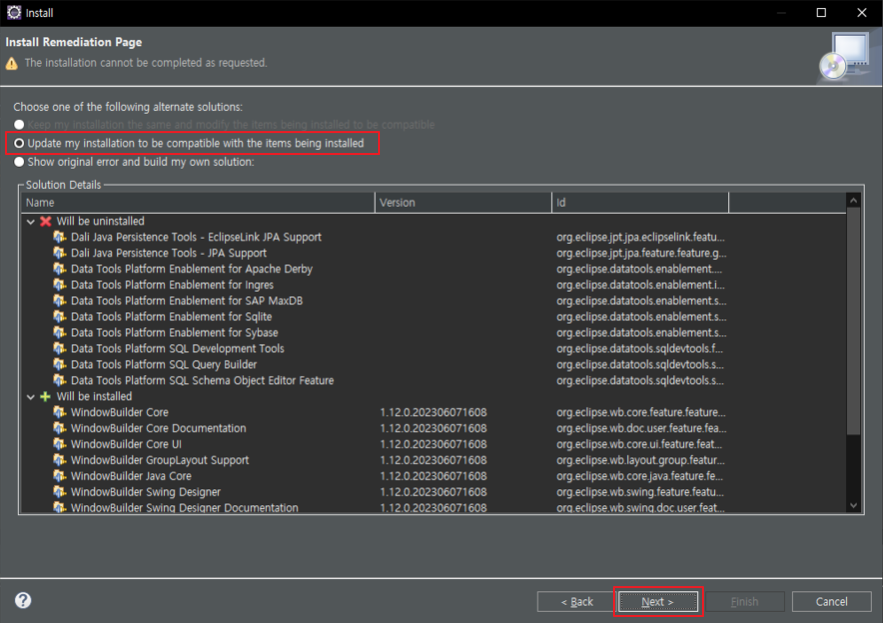
4. Next 클릭

5. Finish 버튼 클릭 > 다운로드 후 이클립스 재부팅
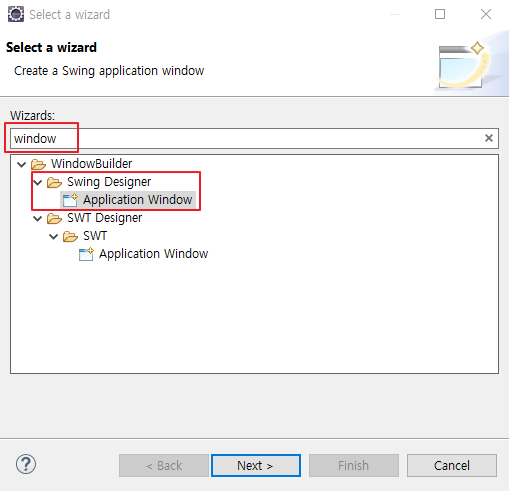
SWING 생성
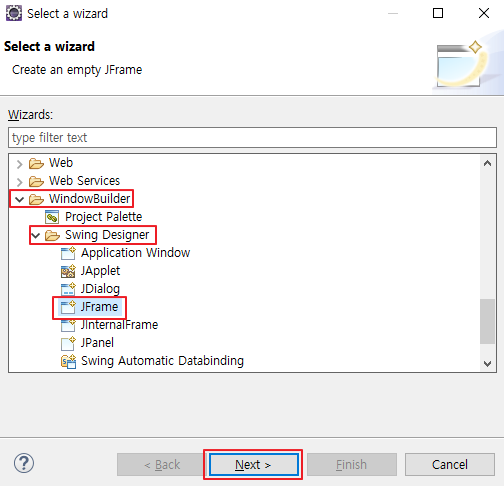
1. Ctril + N > WindowBuilder > Swing Designer > JFrame > Next 클릭
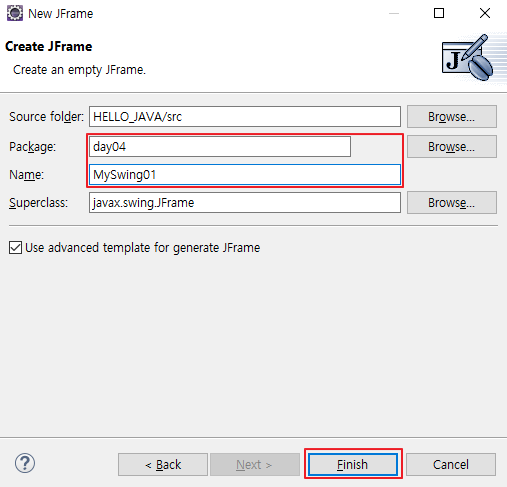
2. 이름 기입 > Finish 클릭

3. 하단의 Design > JLable 클릭 > 패널 부분 클릭
위의 경우 라벨의 위치를 변경할 수 없기에 4번을 진행한다.
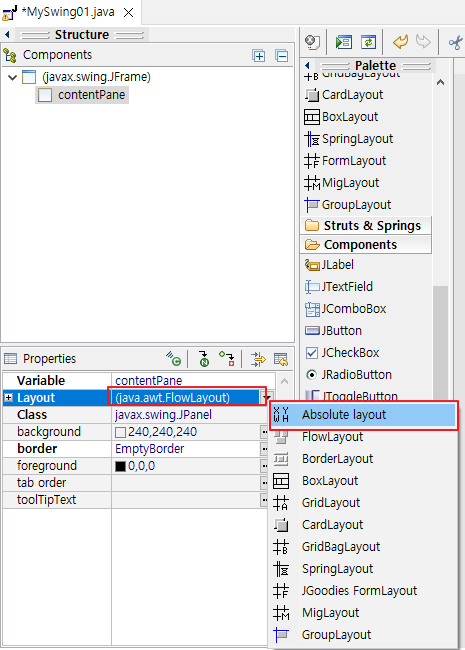
4. 라벨이 아닌 옆 공간 클릭 > Layout 클릭 > Absolute layout 클릭
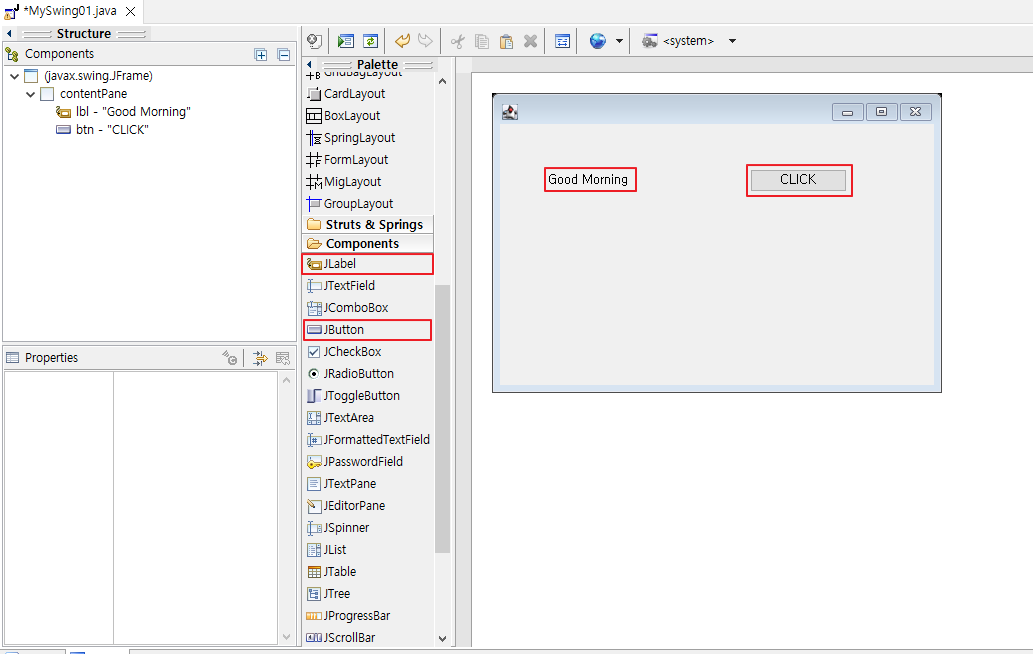
5. JLabel, JButton 클릭 후 패널 클릭하여 생성

6. Variable와 text 변경
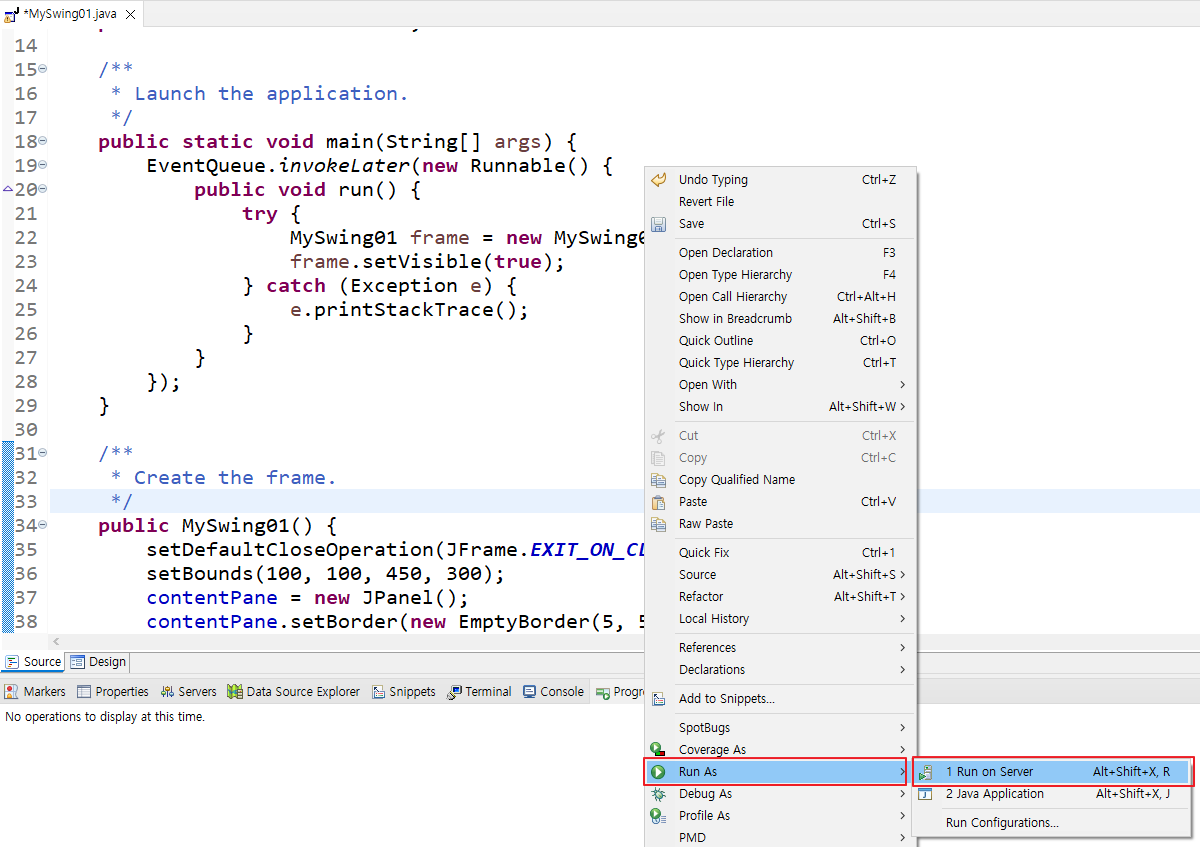
7. 소스 코드에서 오른쪽 마우스 클릭 > Run As > Run on Server 클릭

'Python' 카테고리의 다른 글
| [Python] 7.5장 과제 (Swing을 이용) (0) | 2024.03.28 |
|---|---|
| [Python] 7장 자바 SWING (0) | 2024.03.28 |
| [Python] 5장 클래스 (0) | 2024.03.27 |
| [Python] 4.5장 과제 (0) | 2024.03.26 |
| [Python] 4장 리턴 (0) | 2024.03.26 |