반응형
설치 방법
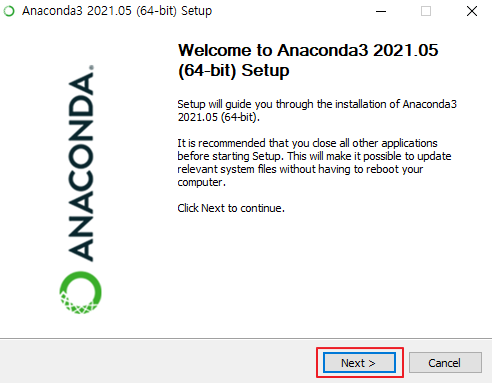
1. Next 클릭
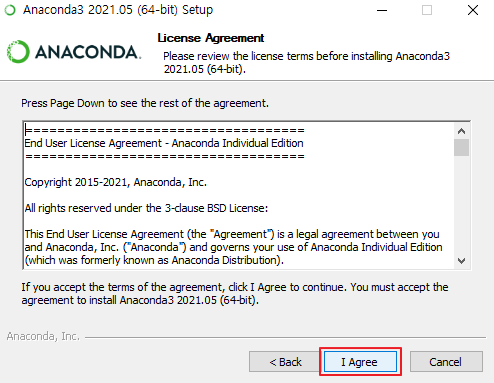
2. I Agree 클릭
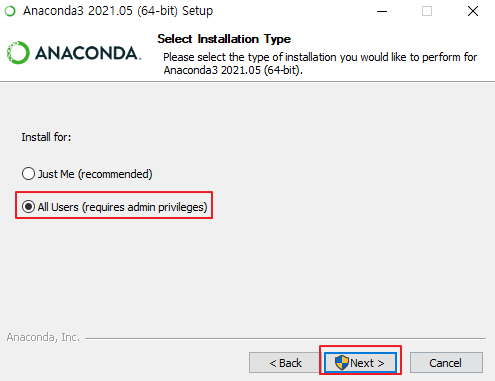
3. All Users (requires admin privileges) 클릭 > Next 클릭
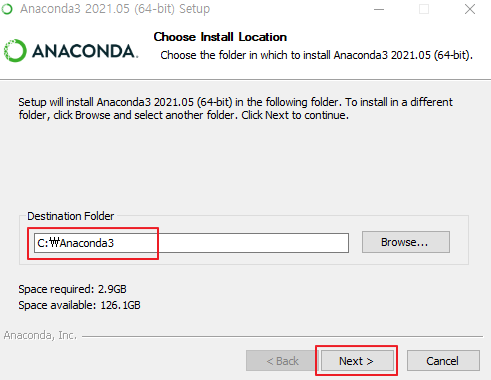
4. 위치 기입 후 > Next 클릭
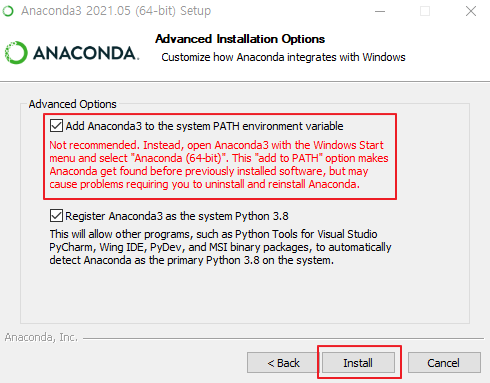
5. 체크박스 클릭 후 > Install 클릭
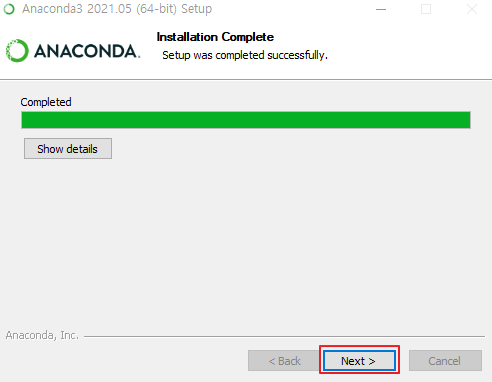
6. Next 클릭 후 Finish
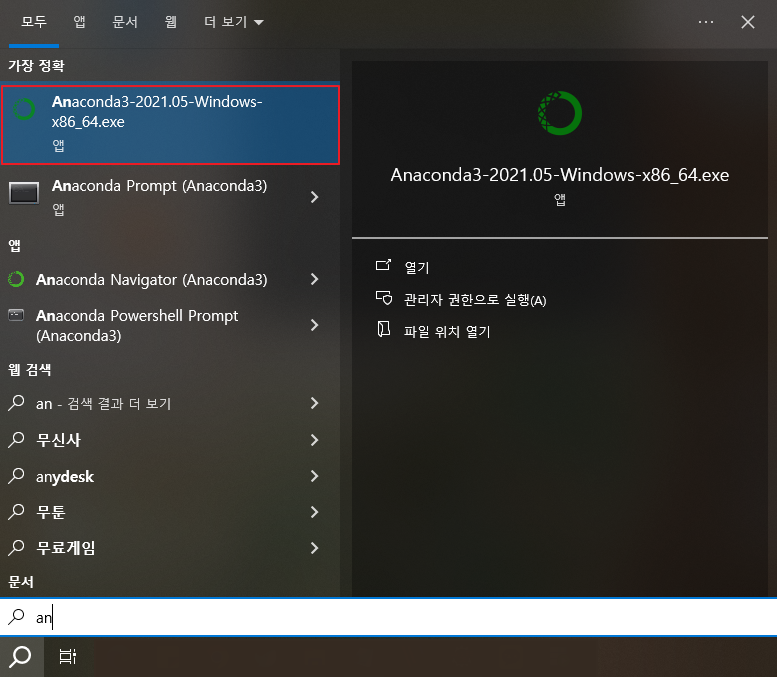
실행
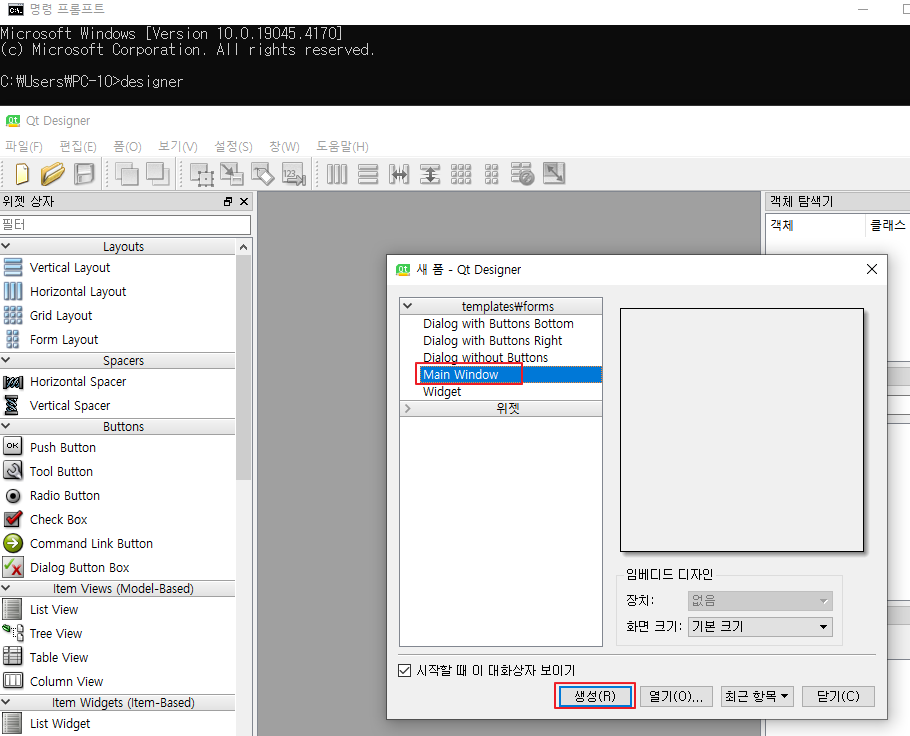
1. cmd 창 키기 > designer 입력
2. Main Window 클릭 > 생성 클릭
아나콘다 설정
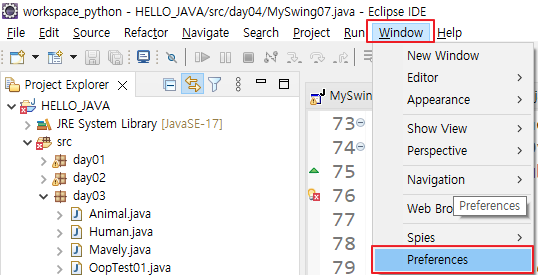
1. Window > Preferences 클릭
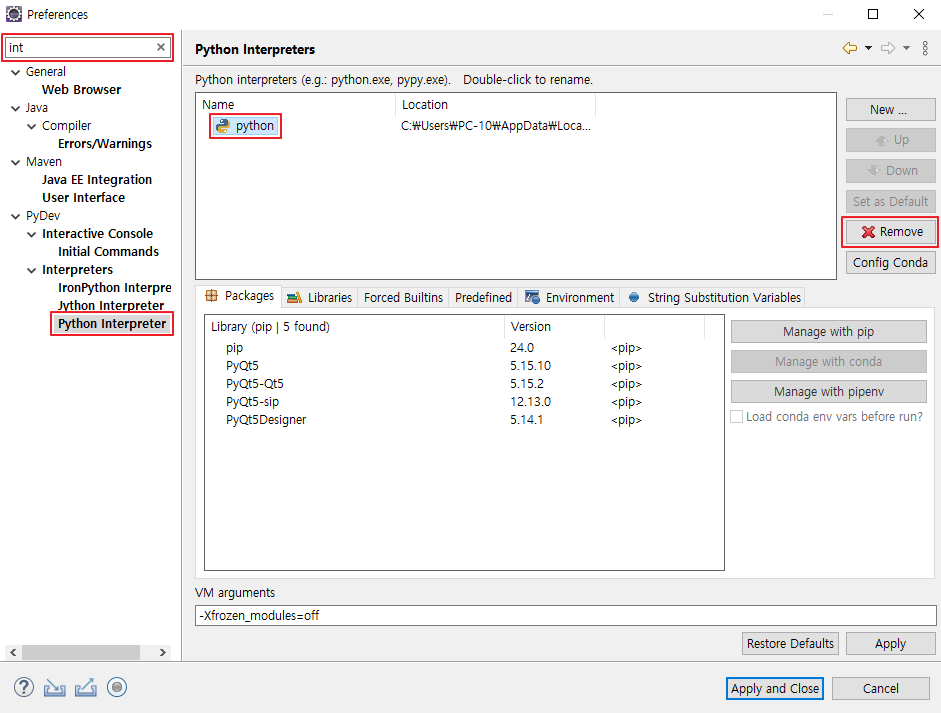
2. int 검색 > Python Interpreter 클릭 > python 클릭 > Remove 클릭
3
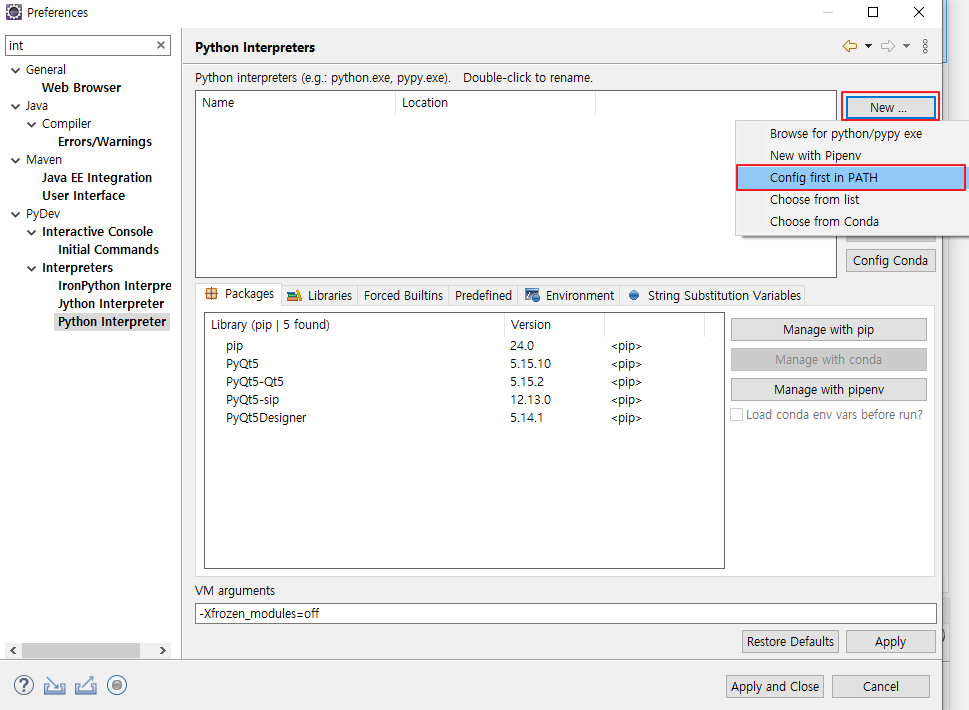
3. New 클릭 > Config first in PATH 클릭
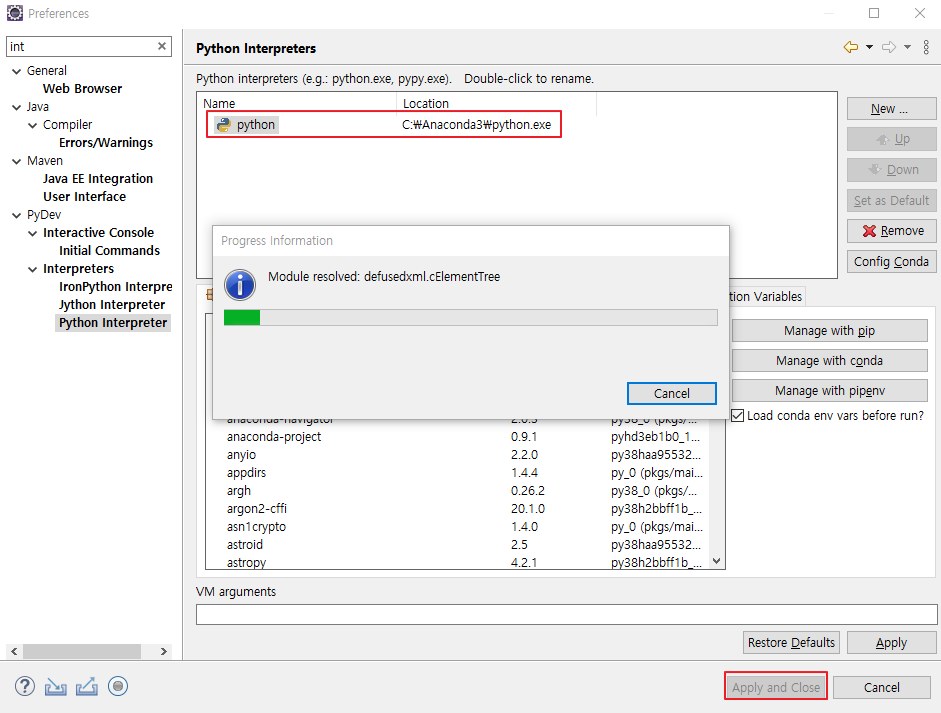
4. 경로 변경된 것 확인 > Apply and Close 클릭
반응형
'Python' 카테고리의 다른 글
| [Python] 10.5.1장 과제1 (0) | 2024.04.01 |
|---|---|
| [Python] 10장 pyqt를 이용한 실습 (0) | 2024.03.29 |
| [Python] 8장 pyqt5 설치 방법 (0) | 2024.03.28 |
| [Python] 7.5장 과제 (Swing을 이용) (0) | 2024.03.28 |
| [Python] 7장 자바 SWING (0) | 2024.03.28 |