Python (40)

반응형


데이터 베이스 생성 및 테이블 생성


1


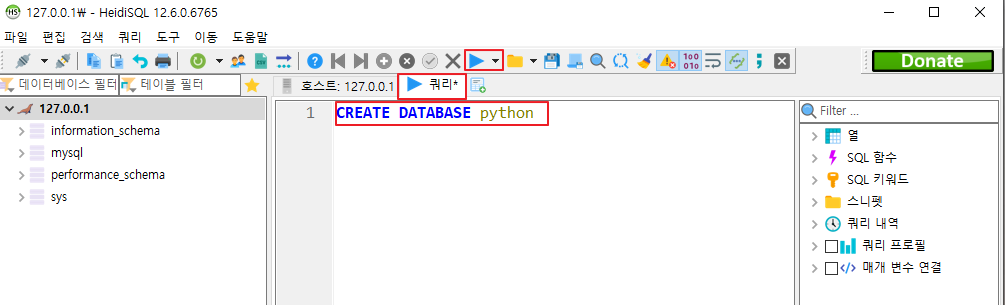
CREATE DATABASE python


1. ▶쿼리 클릭 > 입력 > ▶ 클릭


2


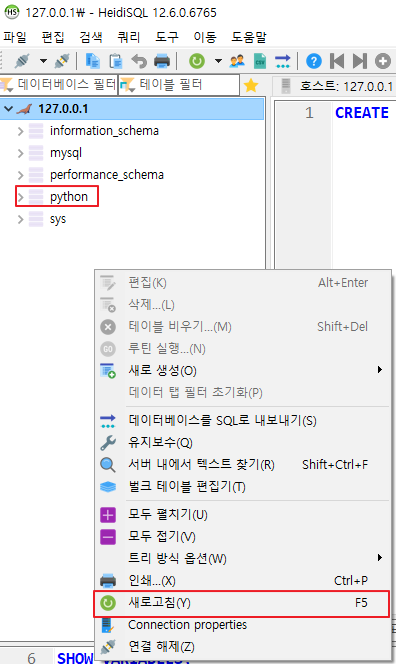
2. 오른쪽 마우스 클릭 > 새로고침 > python 추가된 것 확인


3


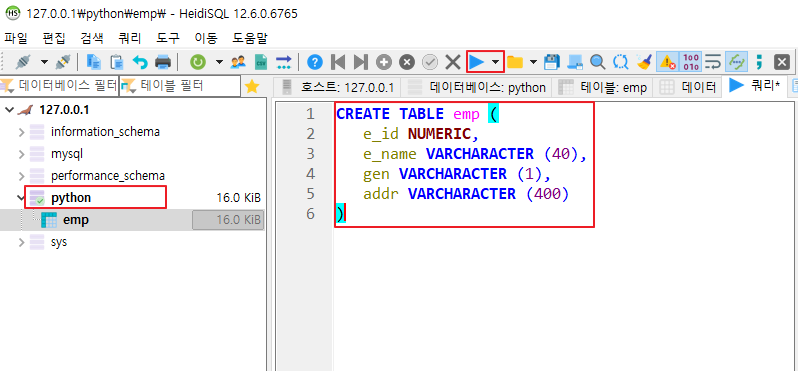
CREATE TABLE emp (
	e_id NUMERIC,
	e_name VARCHARACTER (40),
	gen VARCHARACTER (1),
	addr VARCHARACTER (400)
)


3. python 클릭 > 코드 입력 > ▶클릭


4


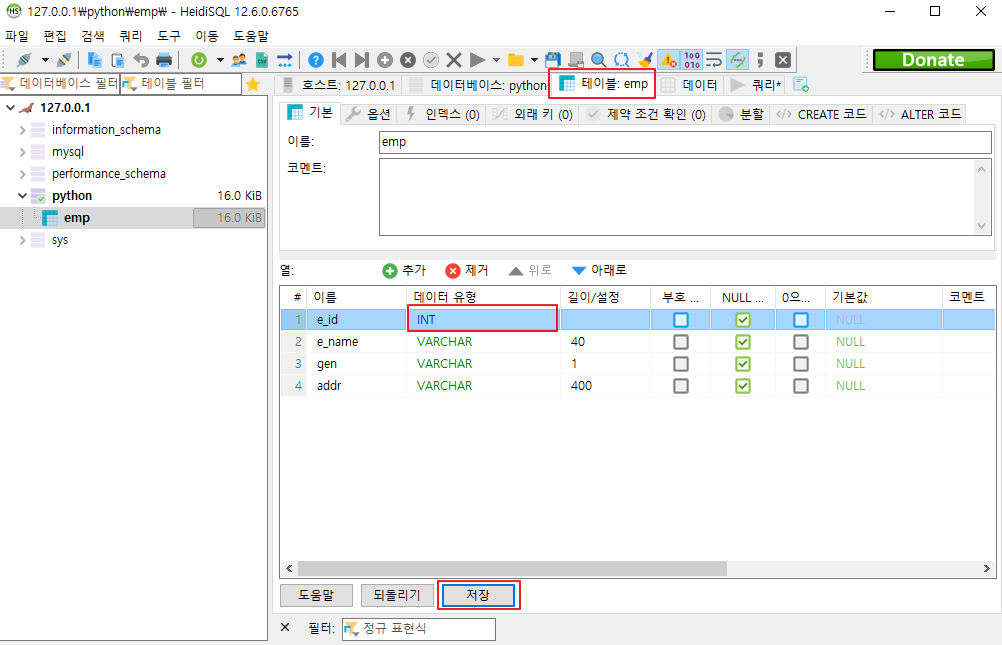
4. 테이블:emp 클릭 > 데이터 유형 더블 클릭 > INT 선택 > 저장 클릭


데이터 삽입, 수정, 삭제


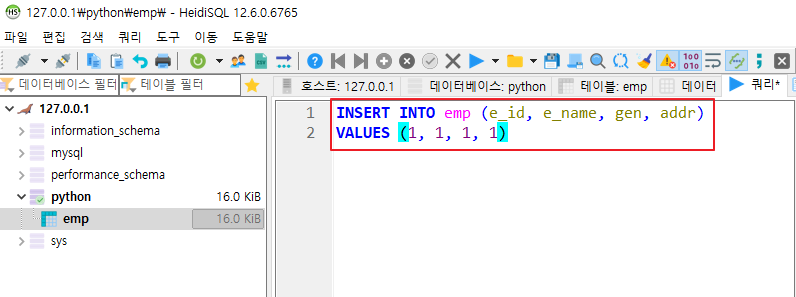
  • 데이터 삽입


INSERT INTO emp (e_id, e_name, gen, addr)
VALUES (1, 1, 1, 1)


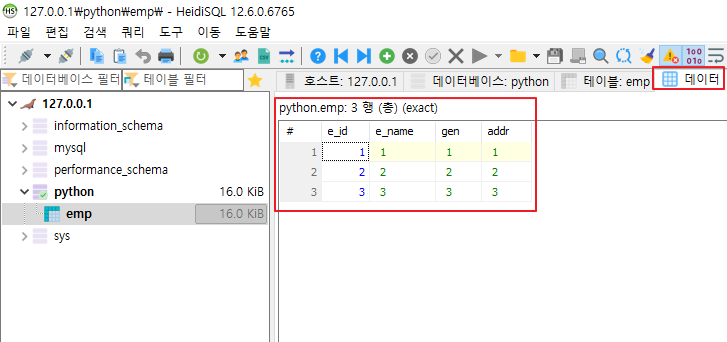
입력 후 실행


입력 후 실행 화면


=> 위와 같은 식으로 데이터 추가 삽입하기


  • 데이터 수정


UPDATE emp SET e_name = 6, gen = 6, addr = 6
WHERE e_id = 3


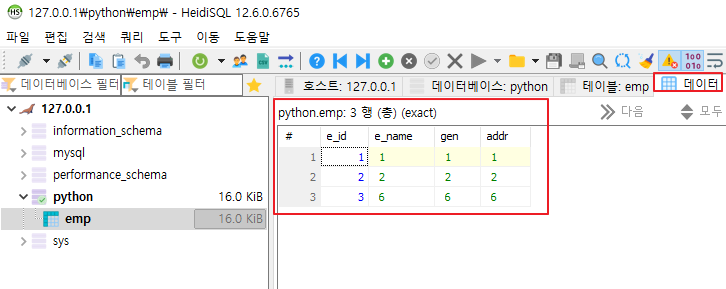
업데이트 후 실행 화면


  • 데이터 삭제


DELETE FROM emp
WHERE e_id = 3


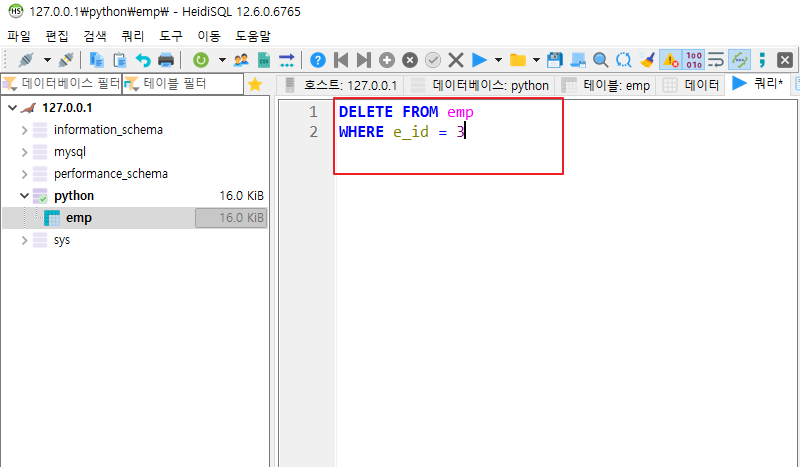
삭제 후 실행 화면


데이터 조회


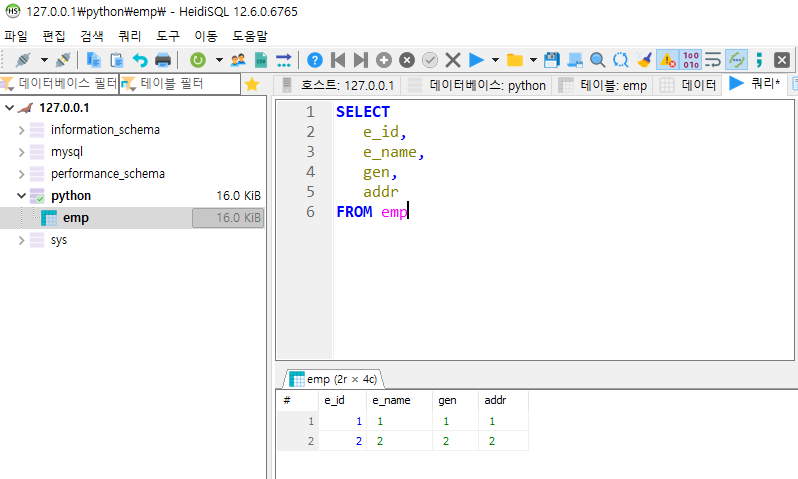
조회 후 결과 화면


SELECT
    e_id,
    e_name,
    gen,
    addr
FROM emp


  • 높은 숫자 순으로 나열하기

나열된 결과 화면


SELECT
    e_id,
    e_name,
    gen,
    addr
FROM emp
ORDER BY e_id desc


반응형
반응형


마리아 DB 설치 방법


1


1. 사이트 접속 > Download 클릭

https://mariadb.org/download/?t=mariadb&p=mariadb&r=11.3.2&os=windows&cpu=x86_64&pkg=msi&mirror=blendbyte


Download MariaDB Server - MariaDB.org

REST API Release Schedule Reporting Bugs … Continue reading "Download MariaDB Server"

mariadb.org


2


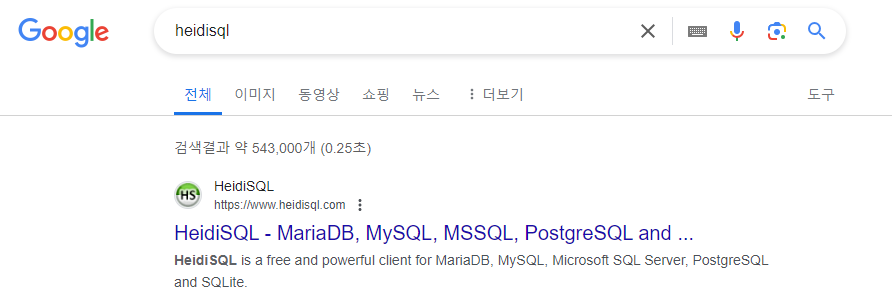
2. heidisql 검색 > HeidiSQL 클릭


3


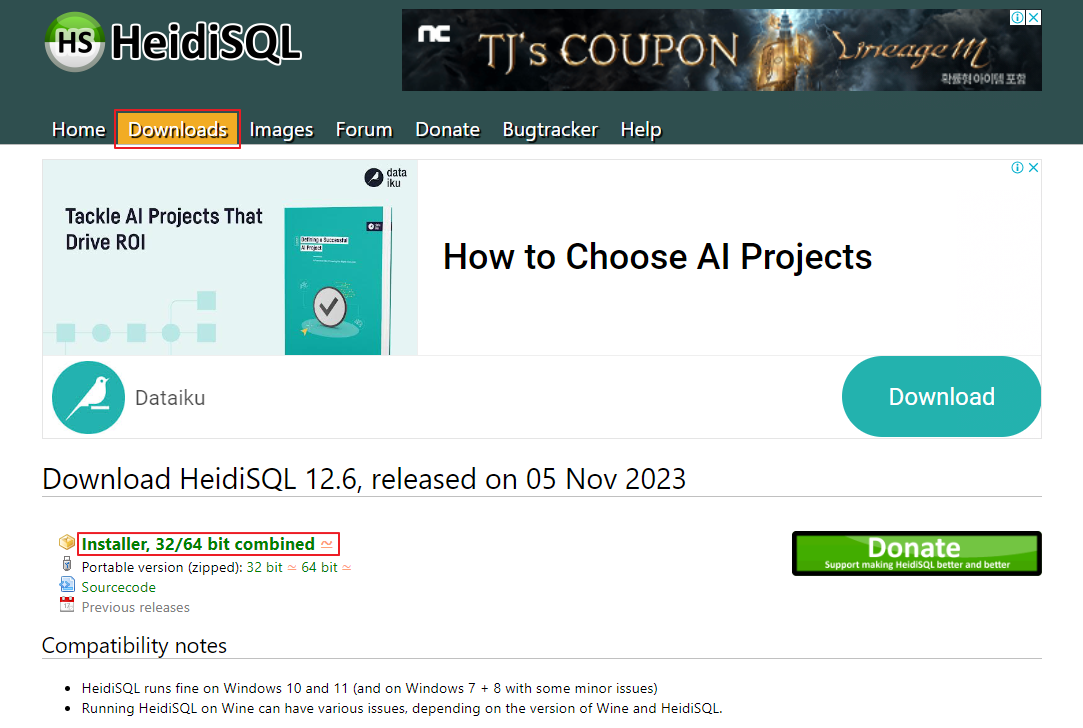
3. Downloads 클릭 > Installer, 32/64 bit combined 클릭


4. mariadb 클릭 > Next 클릭


5


5. 패스워드 입력 후 체크박스 클릭 > Next 클릭


6


6.  TCP port를 3305로 수정 > Next 클릭 > 후에 전부 다운로드 진행


7


7. 바탕화면에 생긴 바로가기 아이콘 삭제


8


8. 다운로드 폴더에 있는 exe 파일 실행 > 신규 버튼 클릭


9


9. 세션 이름 : 127.0.0.1 입력 > 암호 입력 > 포트 : 3305 입력 > 열기 버튼 클릭


반응형
반응형


과제 1 (pyqt)


별 찍기


더보기
from PyQt5 import QtWidgets, uic
import sys
from random import random
from PyQt5.Qt import QMessageBox

form_window = uic.loadUiType("pyqt08.ui")[0]

class UiMainWindow(QtWidgets.QMainWindow, form_window):
    def __init__(self):
        super().__init__()
        self.setupUi(self)
        self.show()
        self.pb.clicked.connect(self.myclick)

    def myclick(self):
        fir = self.le_first.text()
        las = self.le_last.text()
        fir_n = int(fir)
        las_n = int(las)
        str = ""
        
        for i in range(fir_n,las_n+1):
            su = i
            su_n = int(su)
            for i in range(1,su_n+1):
                # print("*", end="")
                str += ("*")
            str +="\n"
        # print(str)
        
        #QPlainTextEdit 로 사용할 시 setText가 아닌 이 방식으로 사용해야 함
        self.pte.setPlainText(str)

if __name__ == "__main__":
    app = QtWidgets.QApplication(sys.argv)
    main_window = UiMainWindow()
    sys.exit(app.exec_())


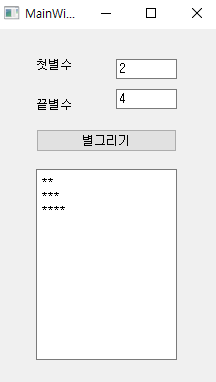
결과 화면1


+ 다른 방법

더보기
from PyQt5 import QtWidgets, uic
import sys
from random import random
from PyQt5.Qt import QMessageBox

form_window = uic.loadUiType("pyqt08.ui")[0]

class UiMainWindow(QtWidgets.QMainWindow, form_window):
    def __init__(self):
        super().__init__()
        self.setupUi(self)
        self.show()
        self.pb.clicked.connect(self.myclick)
        
    def getStar(self,cnt):
        ret = ""
        for i in range(cnt):
            ret += "*"
            
        ret += "\n"
        return ret

    def myclick(self):
        f = self.le_first.text()
        l = self.le_last.text()
        
        ff = int(f)
        ll = int(l)
        
        txt = ""
        
        for i in range(ff,ll+1):
            txt += self.getStar(i)
        
        self.pte.setPlainText(txt)
        

if __name__ == "__main__":
    app = QtWidgets.QApplication(sys.argv)
    main_window = UiMainWindow()
    sys.exit(app.exec_())


과제 2 (pyqt)


가위바위보 게임


더보기
import sys
from PyQt5 import uic
from PyQt5.QtWidgets import QApplication, QMainWindow
from random import random

form_class = uic.loadUiType("pyqt09.ui")[0]


class WindowClass(QMainWindow, form_class):
    def __init__(self):
        super().__init__()
        self.setupUi(self)
        self.pb.clicked.connect(self.myclick)
    
    def myclick(self):
        my = self.le_mine.text()
        com = int(random()*3)
        res = ""
        
        if com == 0: com_str = "가위"
        elif com == 1: com_str = "바위"
        else: com_str = "보"
        
        if my=="가위" and com_str=="보": res = "이김" 
        elif my=="바위" and com_str=="가위": res = "이김" 
        elif my=="보" and com_str=="바위": res = "이김" 
        elif my=="가위" and com_str=="바위": res = "짐" 
        elif my=="바위" and com_str=="보": res = "짐" 
        elif my=="보" and com_str=="가위": res = "짐"
        else : res = "비김"
        
        self.le_com.setText(com_str)
        self.le_result.setText(res)
        
if __name__ == "__main__":
    app = QApplication(sys.argv)
    myWindow = WindowClass()
    myWindow.show()
    app.exec_()


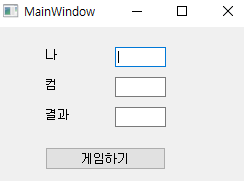
결과 화면2


과제 3 (swing)


야구게임


더보기
package day04;

import java.awt.EventQueue;

import javax.swing.JFrame;
import javax.swing.JPanel;
import javax.swing.border.EmptyBorder;
import javax.swing.JLabel;
import javax.swing.JOptionPane;
import javax.swing.JTextField;
import javax.swing.JButton;
import javax.swing.JTextArea;
import java.awt.event.MouseAdapter;
import java.awt.event.MouseEvent;

public class MySwing11 extends JFrame {

	private JPanel contentPane;
	private JTextField tf;
	int[] arr = {1,2,3,4,5,6,7,8,9};
	JTextArea ta;
	
	/**
	 * Launch the application.
	 */
	public static void main(String[] args) {
		EventQueue.invokeLater(new Runnable() {
			public void run() {
				try {
					MySwing11 frame = new MySwing11();
					frame.setVisible(true);
				} catch (Exception e) {
					e.printStackTrace();
				}
			}
		});
	}

	/**
	 * Create the frame.
	 */
	public MySwing11() {
		int rnd = (int)(Math.random()*9);
		for(int i=0; i<999; i++) {
			int temp = arr[0];
			arr[0] = arr[rnd];
			arr[rnd] = temp;
		}
		System.out.println(arr[0] + " " + arr[1] + " " + arr[2]);
		
		setDefaultCloseOperation(JFrame.EXIT_ON_CLOSE);
		setBounds(100, 100, 273, 420);
		contentPane = new JPanel();
		contentPane.setBorder(new EmptyBorder(5, 5, 5, 5));

		setContentPane(contentPane);
		contentPane.setLayout(null);
		
		JLabel lbl = new JLabel("야구게임");
		lbl.setBounds(27, 32, 57, 15);
		contentPane.add(lbl);
		
		tf = new JTextField();
		tf.setBounds(147, 29, 57, 21);
		contentPane.add(tf);
		tf.setColumns(10);
		
		JButton btn = new JButton("맞춰보세요");
		btn.addMouseListener(new MouseAdapter() {
			@Override
			public void mouseClicked(MouseEvent e) {
				myclick();
			}
		});
		btn.setBounds(27, 57, 177, 23);
		contentPane.add(btn);
		
		ta = new JTextArea();
		ta.setBounds(27, 87, 177, 284);
		contentPane.add(ta);
	}
	
	void myclick() {
		int[] intArr = new int[3];
		String txt = tf.getText();
		intArr[0] = Integer.parseInt(txt.substring(0,1));
		intArr[1] = Integer.parseInt(txt.substring(1,2));
		intArr[2] = Integer.parseInt(txt.substring(2,3));
		String result = ta.getText();
		
		// 스트라이크
		int strike = 0;
		
		// 볼
		int ball = 0;
				
		for(int i=0; i<3; i++) {
			for(int j=0; j<3; j++) {
				if(i == j && (arr[i] == intArr[j])) strike++;
				else if(arr[i] == intArr[j]) ball++;
			}
		}
		System.out.println(strike);
		System.out.println(ball);
		
		if(strike == 0 && ball == 0) {
			result += txt + "\tOUT\n";
		} else {
			result += txt + "\t" + strike + "S" + ball + "B\n";
		}
		
		ta.setText(result);
		
		if(strike == 3) {
			JOptionPane.showMessageDialog(null, txt+"  정답입니다.");
		}
	}
}


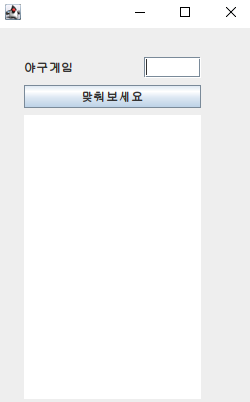
결과 화면3


+ 다른 방법

더보기
package day04;

import java.awt.EventQueue;

import javax.swing.JFrame;
import javax.swing.JPanel;
import javax.swing.border.EmptyBorder;
import javax.swing.JLabel;
import javax.swing.JOptionPane;
import javax.swing.JTextField;
import javax.swing.JButton;
import javax.swing.JTextArea;
import java.awt.event.MouseAdapter;
import java.awt.event.MouseEvent;

public class MySwing11_sem extends JFrame {

	private JPanel contentPane;
	private JTextField tf;
	String com = "123";
	JTextArea ta;
	
	/**
	 * Launch the application.
	 */
	public static void main(String[] args) {
		EventQueue.invokeLater(new Runnable() {
			public void run() {
				try {
					MySwing11_sem frame = new MySwing11_sem();
					frame.setVisible(true);
				} catch (Exception e) {
					e.printStackTrace();
				}
			}
		});
	}

	/**
	 * Create the frame.
	 */
	public MySwing11_sem() {
		setDefaultCloseOperation(JFrame.EXIT_ON_CLOSE);
		setBounds(100, 100, 273, 420);
		contentPane = new JPanel();
		contentPane.setBorder(new EmptyBorder(5, 5, 5, 5));

		setContentPane(contentPane);
		contentPane.setLayout(null);
		
		JLabel lbl = new JLabel("야구게임");
		lbl.setBounds(27, 32, 57, 15);
		contentPane.add(lbl);
		
		tf = new JTextField();
		tf.setBounds(147, 29, 57, 21);
		contentPane.add(tf);
		tf.setColumns(10);
		
		JButton btn = new JButton("맞춰보세요");
		btn.addMouseListener(new MouseAdapter() {
			@Override
			public void mouseClicked(MouseEvent e) {
				myclick();
			}
		});
		btn.setBounds(27, 57, 177, 23);
		contentPane.add(btn);
		
		ta = new JTextArea();
		ta.setBounds(27, 87, 177, 284);
		contentPane.add(ta);
		
		randCom();
	}
	
	void randCom() {
		String[] arr = {"1","2","3","4","5","6","7","8","9"};
		
		for(int i=0; i<1000;i++) {
			int rnd = (int)(Math.random()*9);
			String a = arr[0];
			arr[0] = arr[rnd];
			arr[rnd] = a;
		}
		
		com = arr[0]+arr[1]+arr[2];
		System.out.println("com: " + com);
		
	}
	
	void myclick() {
		String mine = tf.getText();
		int s = getS(mine,com);
		int b = getB(mine,com);
		String str_old = ta.getText();
		String line = mine + "\t" + s + "S" + b + "B" + "\n";  
		
		ta.setText(str_old + line);
		tf.setText("");
		
		if(s == 3) {
			JOptionPane.showMessageDialog(null, mine+"  정답입니다.");
		}
	}
	
	int getS(String mine,String com) {
		int ret = 0;
		String m1 = mine.substring(0,1);
		String m2 = mine.substring(1,2);
		String m3 = mine.substring(2,3);
		
		String c1 = com.substring(0,1);
		String c2 = com.substring(1,2);
		String c3 = com.substring(2,3);
		
		if(c1.equals(m1)) {ret++;}
		if(c2.equals(m2)) {ret++;}
		if(c3.equals(m3)) {ret++;}
		
		return ret;
	}
	
	int getB(String mine,String com) {
		int ret = 0;
		String m1 = mine.substring(0,1);
		String m2 = mine.substring(1,2);
		String m3 = mine.substring(2,3);
		
		String c1 = com.substring(0,1);
		String c2 = com.substring(1,2);
		String c3 = com.substring(2,3);
		
		if(c1.equals(m2)||c1.equals(m3)) {ret++;}
		if(c2.equals(m1)||c2.equals(m3)) {ret++;}
		if(c3.equals(m1)||c3.equals(m2)) {ret++;}
		
		return ret;
	}
}


반응형
1 ··· 6 7 8 9 10 11 12 ··· 14